Running the Software
Command line options
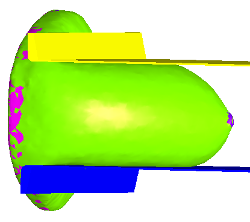
breastCompress is run from the command line and requires that several command line options be specified:
> breastCompress -s <SEED> -t <THICKNESS> -a [ANGLE] -d [DIRECTORY] -f [FEBIOPATH]
required command line arguments are
| -s SEED | the seed number of the uncompressed phantom you wish to compress |
| -t THICKNESS | the desired compressed breast thickness in millimeters |
optional command line arguments are
| -a ANGLE | EXPERIMENTAL: the angle of the compression direction in degrees relative to the transverse plane. The default value is 0 which provides cranial caudal (CC) compression. |
| -d DIRECTORY | the directory containing the uncompressed breast phantom. The output compressed breast phantom will be placed in this directory as well. The default value is ‘.’ representing the current working directory. |
| -f FEBIOPATH | the directory in which FeBio has been installed. This is only optional if environment variable $FEBIO_PATH has not been set (see previous section). |
Example
To compress the phantom p_123456789.raw.gz contained in the directory /tmp with a 15 degree paddle angle to a thickness of 40 mm with FeBiO installation directory /usr/local/bin/febio-2.3.1 (FeBiO application location /usr/local/bin/febio-2.3.1/bin/febio2.lnx64), issue the following command:
> breastCompress -s 123456789 -t 40.0 -a 15.0 -d /tmp -f /usr/local/bin/febio-2.3.1